Transfer
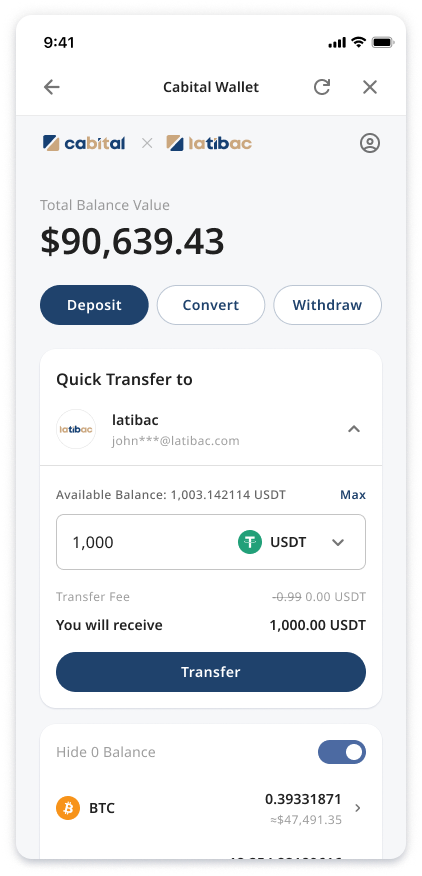 Customers can transfer funds from Cabital to partner's account (Transfer Debit) on the Widget.
Cabital will notify the transfer event to partner via webhook and partner can confirm the transfer via the Confirm transfer API after the transaction is processed. Cabital will update the status of the transaction based on the results received by the API.
URL Parameters
| Parameter | Required | Description |
|---|---|---|
feature |
Yes | transfer |
major_ccy |
No | Transfer currency, e.g. USDT |
major_amount |
No | Transfer amount 1. Commas is not allowed in the numeric string. 2. The decimal point must be .3. e.g. 1000.00 |
Flow Chart
 sequenceDiagram
Customer ->> Cabital: Initiate transfer <br> (Transfer debit)
note right of Customer: The transfer status is "Processing"
Cabital ->> Partner: Send the transfer event
Partner ->> Partner: Deposit funds to customer's account
Partner ->> Cabital: Call confirm transfer API
note right of Cabital: /api/v1/accounts/{account_id}/transfers/{transfer_id}
Cabital ->> Cabital: Deduct funds from customer's account
Cabital ->> Partner: Complete the transaction and response successful
Cabital ->> Customer: Send transfer successful notification
note right of Customer: The transfer status change to "Successful"